Allied Optional paper selection must be done by all the students of Second year UG without fail using the link given to you. The allotment will be made based on First Come First Served (FCFS) basis.
Read the Instructions carefully for Allied Optional Paper Selection.
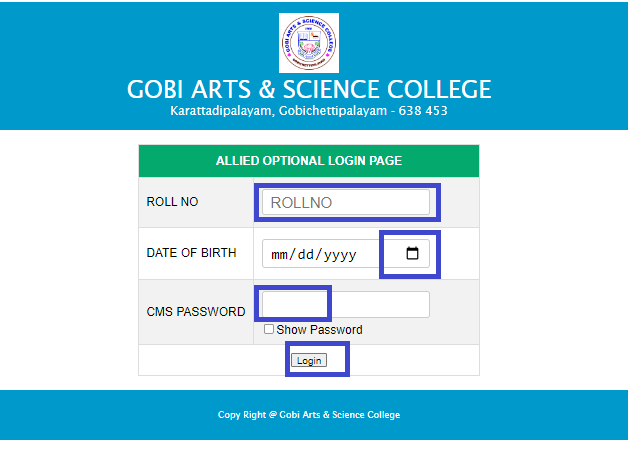
Type your Register Number without using space or hypen (Ex:25XX025), CMS Password given by class co-ordinator and Date of Birth then click Login Button..
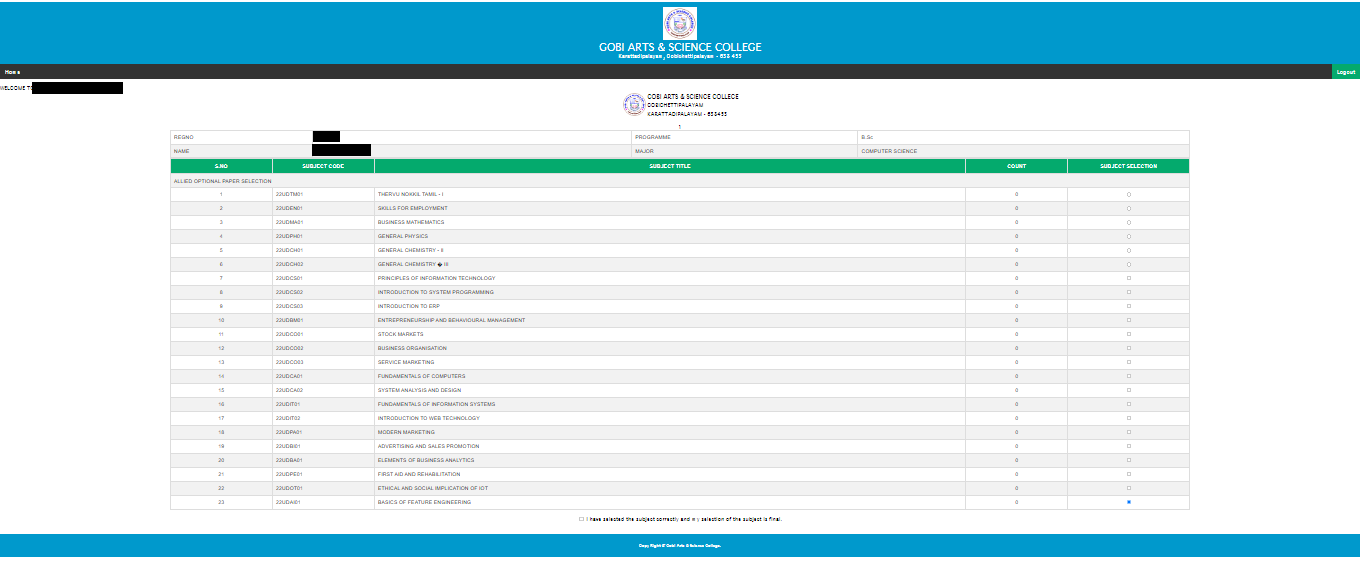
Allied Optional Papers are listed.
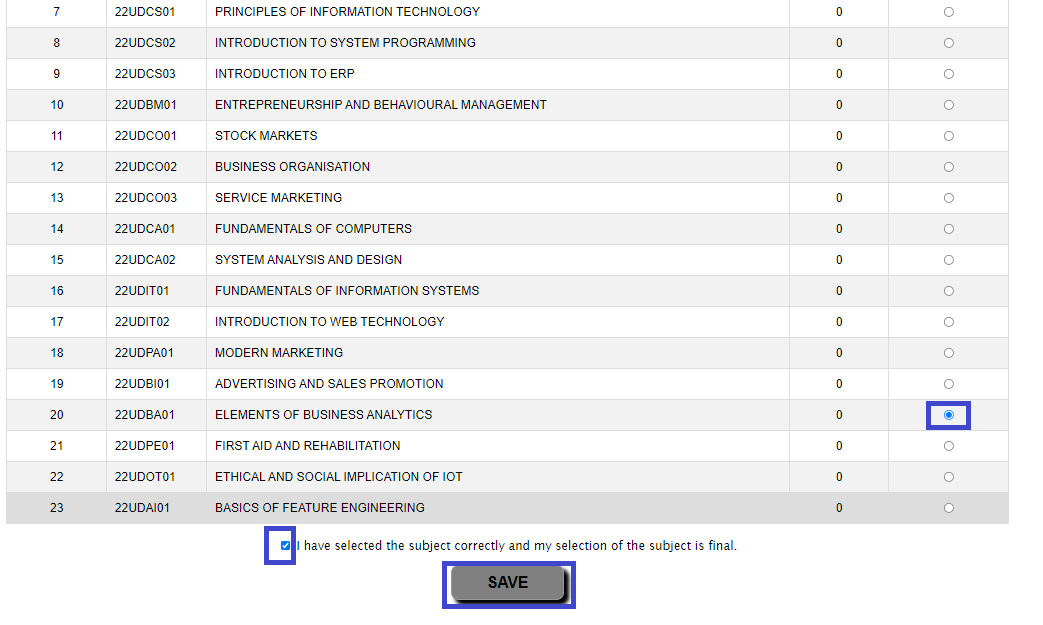
You have to select the available Allied Optional Paper by clicking the Radio Button.
Once you have selected the Allied Optional Paper, you cannot change it again.
Select the Check Box & click Save Button.
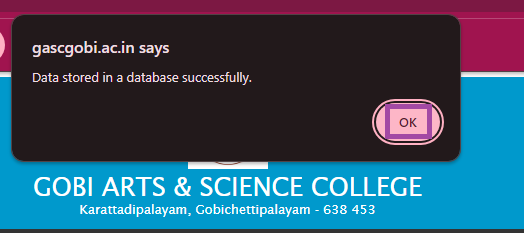
Your Selected paper will be saved only after clicking the ok button.
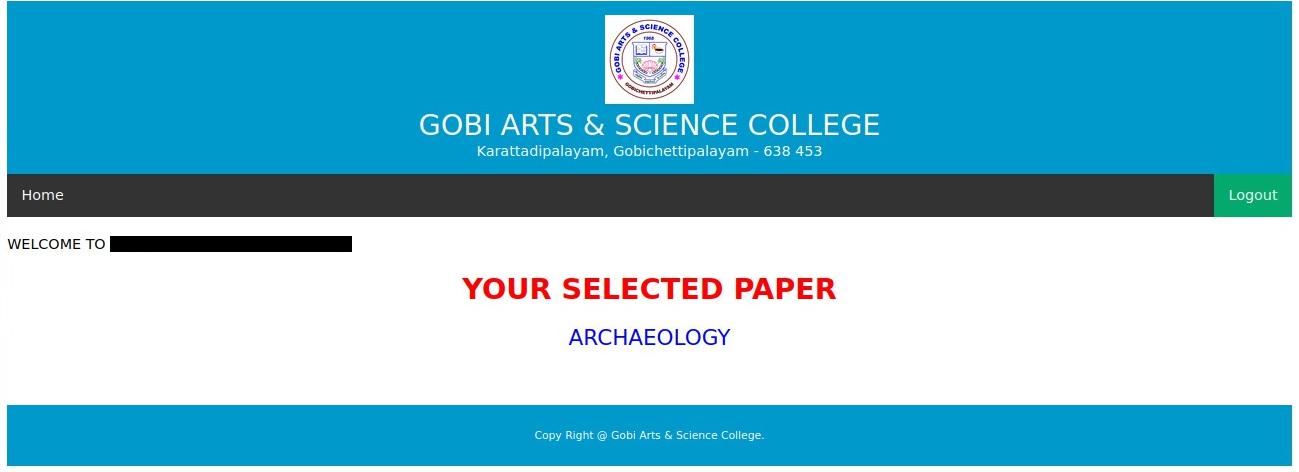
Then the Allied Optional paper you selected is displayed.
You can select the Allied Optional Paper only once.
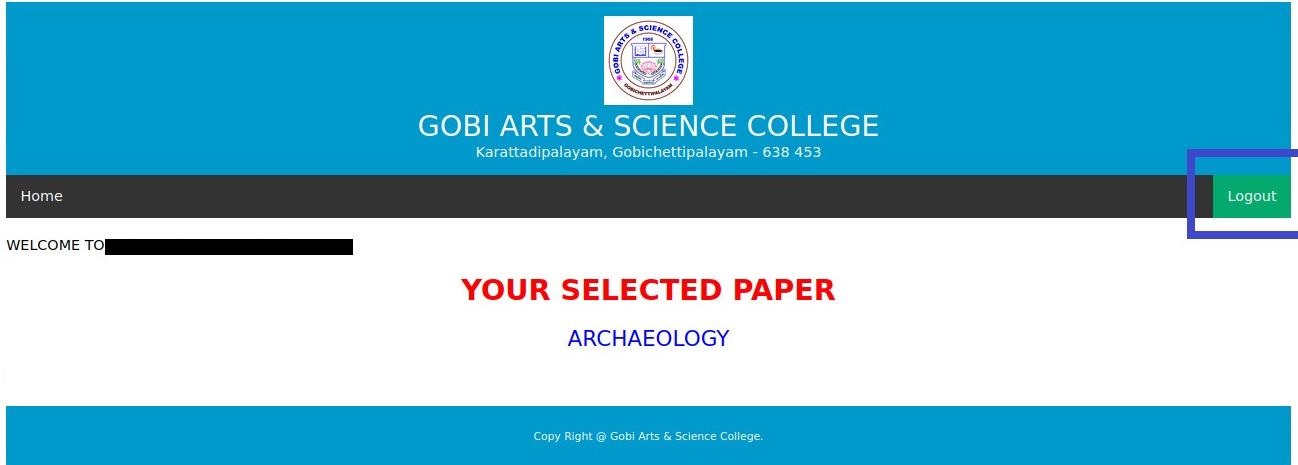
Click on Logout.
The Allied Optional Paper link will be open on 28.09.2026 at 5.00 PM and will close at 01.00 PM on 01.10.2026 sharply.
Doubts and clarification (if any) can be obtained from the concerned class coordinators.
The Allied Optional Paper selection link will not be opened on any account after the last date.
I hereby affirm that I have read the instructions and hence proceed for filling the Application form.